
Guide · Part 2
Shopping a list
Take your list to the shop: check items off as they go in the basket, and finish the trip.
Open your list
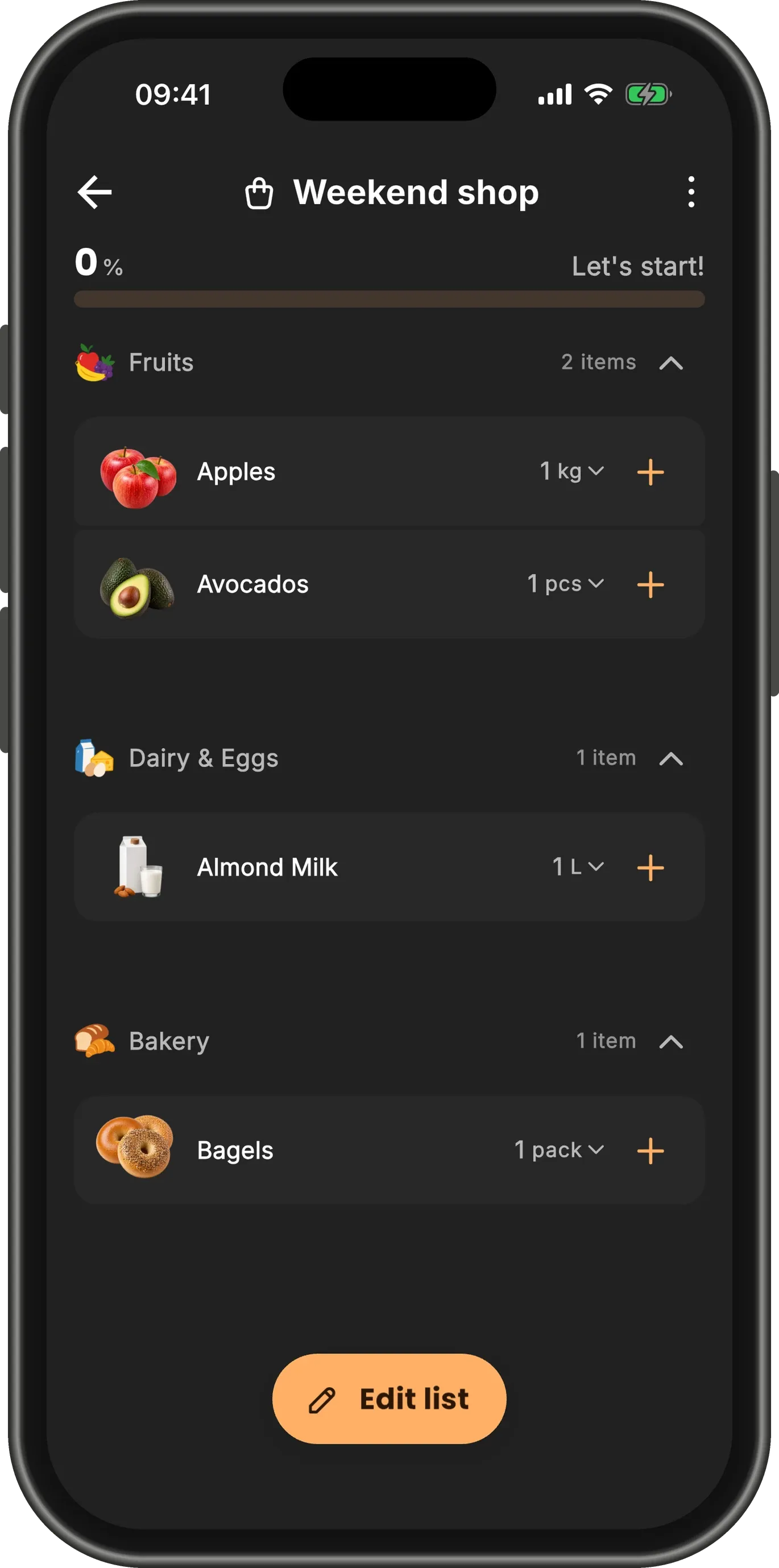
On the home screen, tap your list’s card. It opens grouped by shelf, so you can walk the shop in one pass.
The bar at the top tracks the trip, and starts at 0%.
Swipe right when it is in your basket
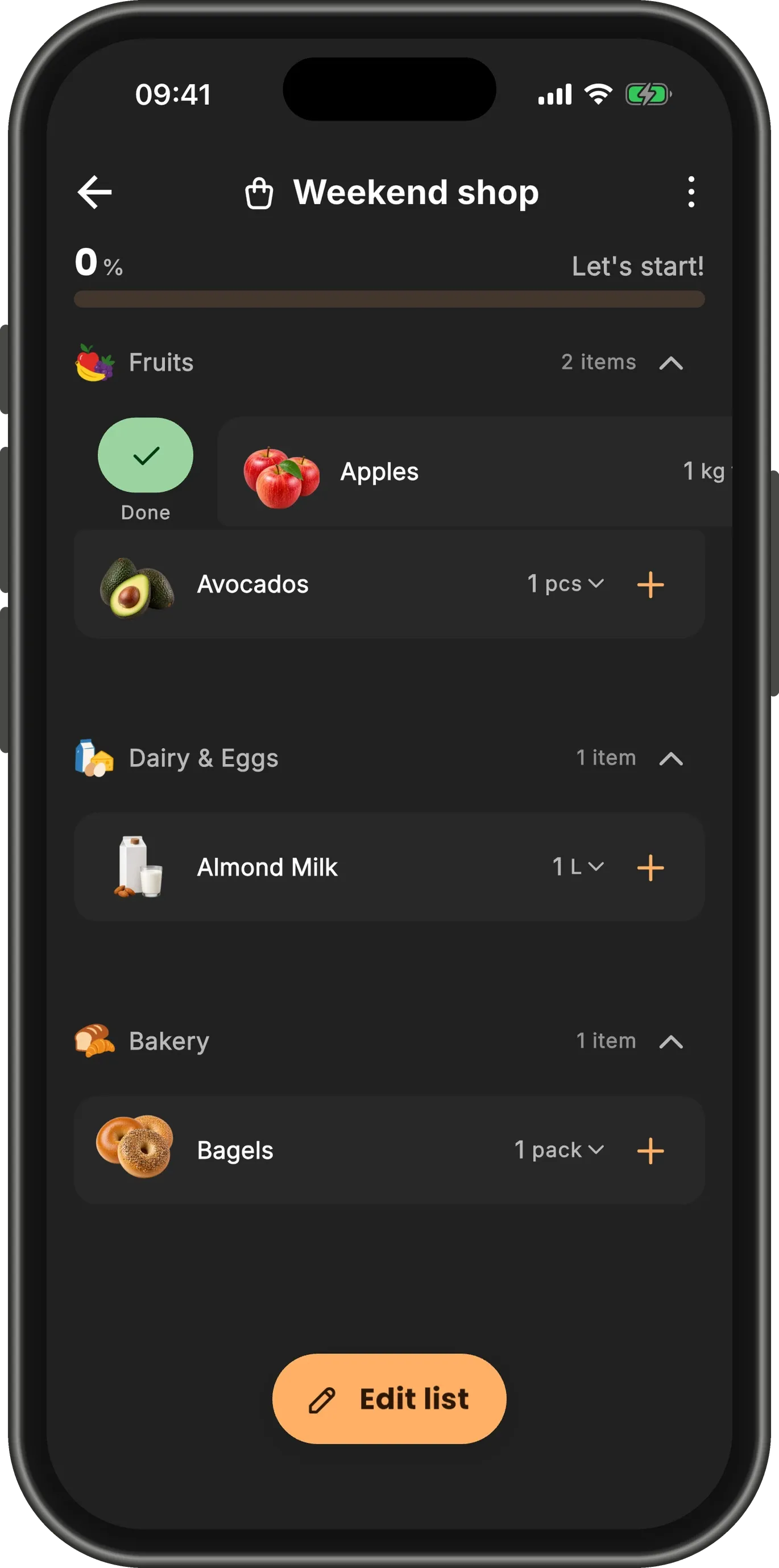
Found something? Swipe its row to the right. Done appears under your finger — keep going and let go to check it off.
TipA short swipe leaves the row open instead: tap Done to check the item off, or tap the row to close it again.
It moves to Collected
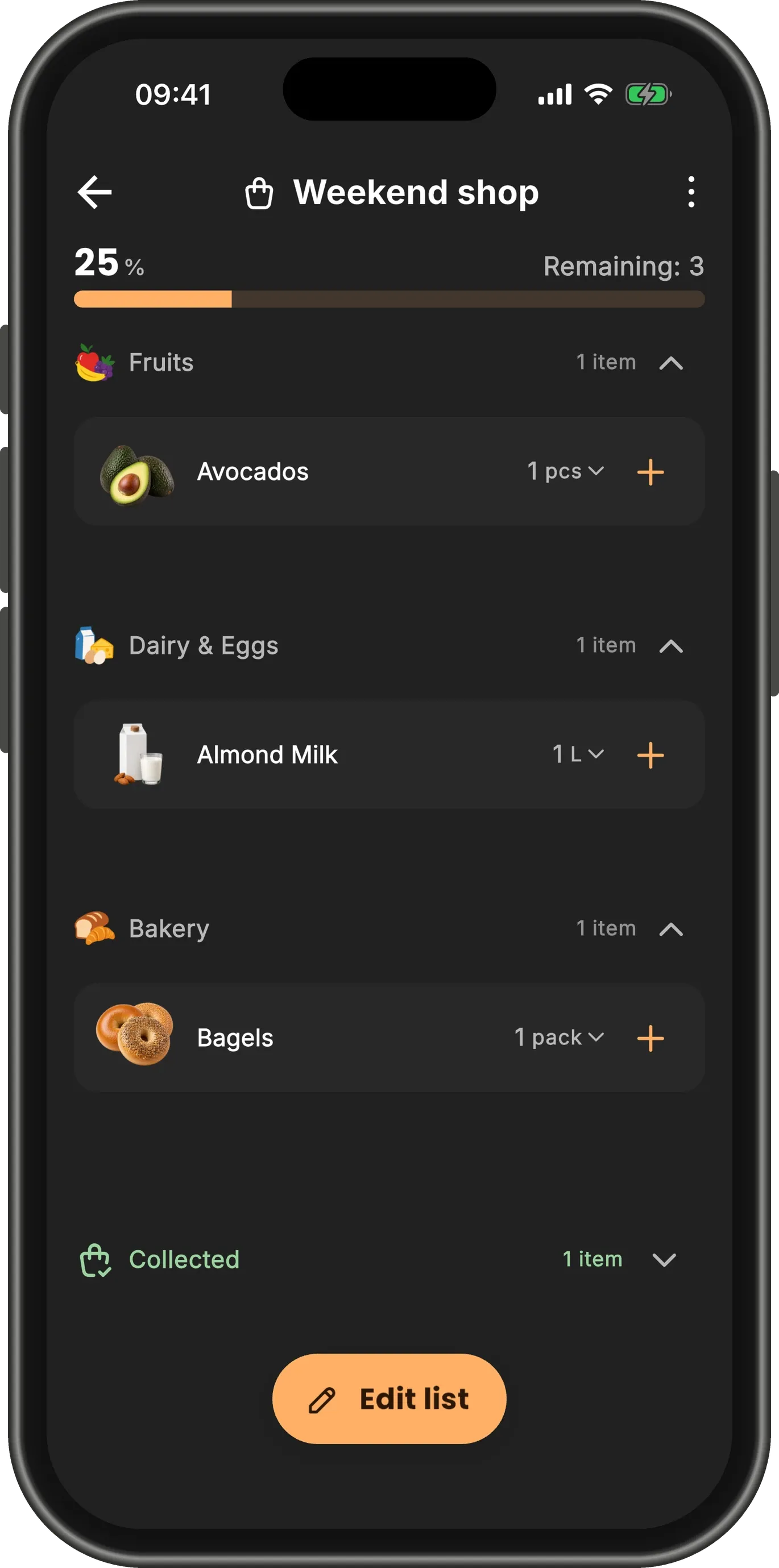
A checked item leaves its shelf and waits under Collected at the bottom of the list. The bar and the count of what is left update as you go.
See what is in your basket
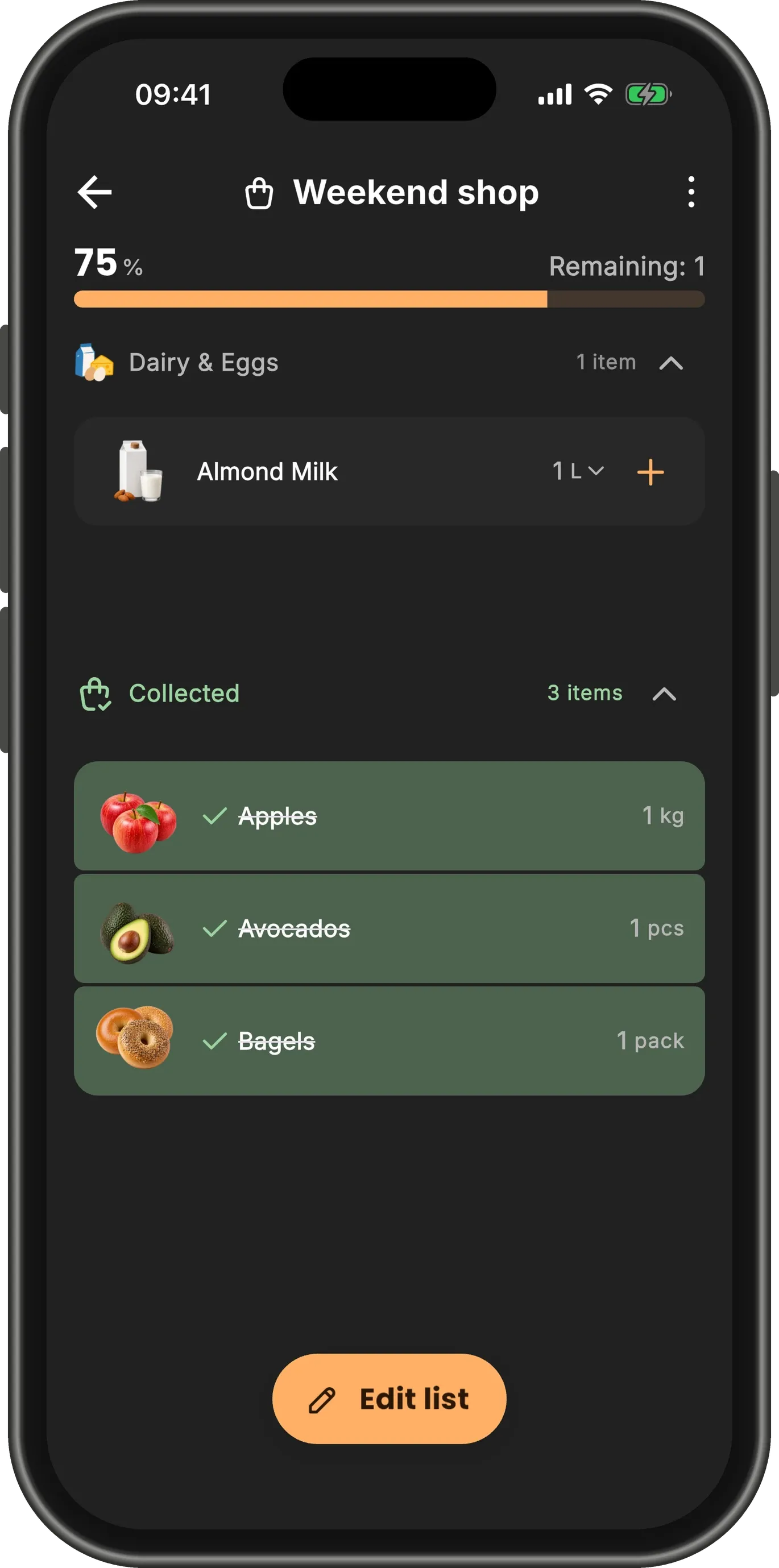
Tap the arrow beside Collected to open it and see everything you have picked up.
Checked something by mistake? Swipe it to the right again to put it back on the list.
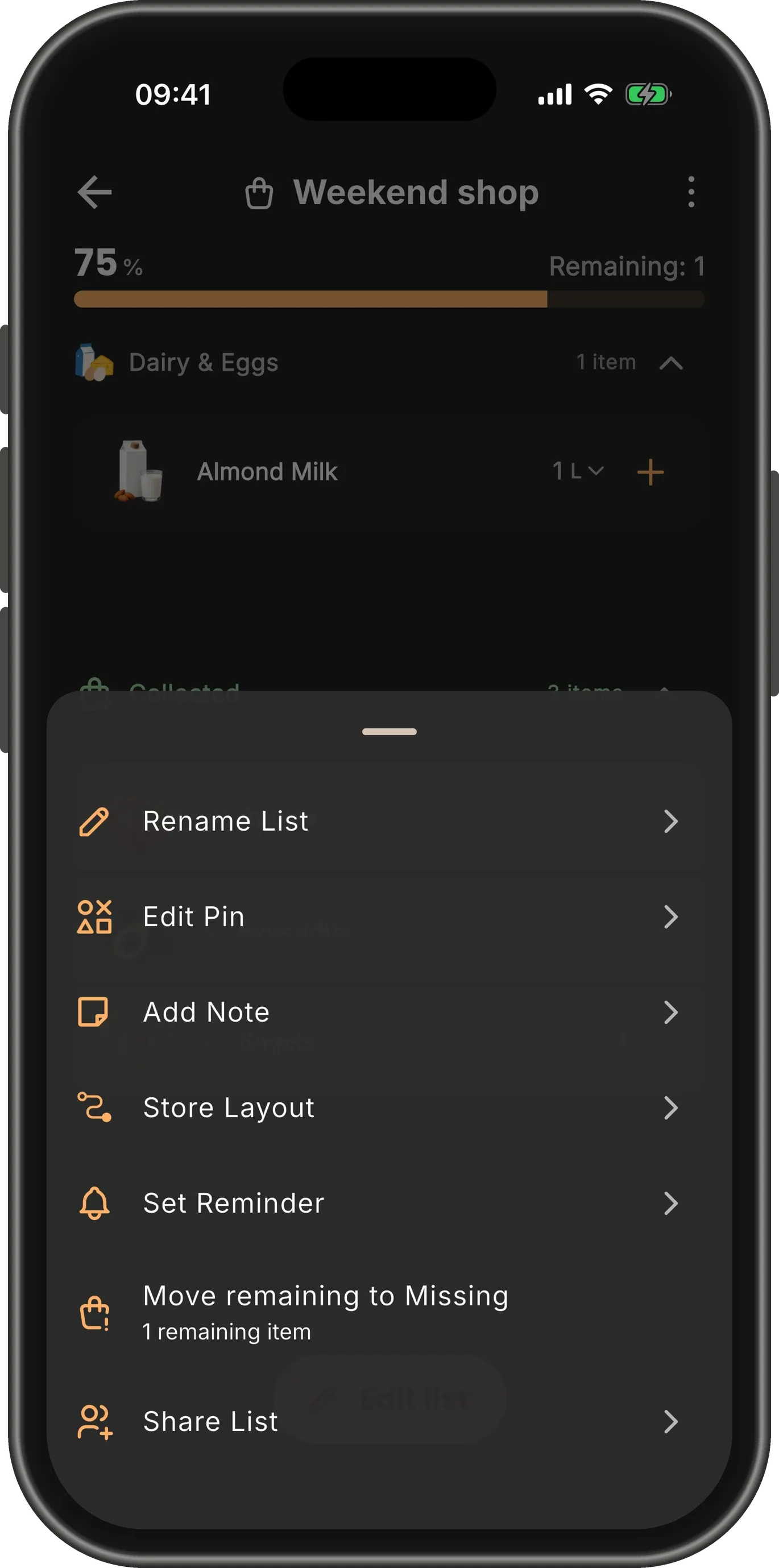
Out of something?
If the shop does not have what is left, open the menu (⋮) and choose Move remaining to Missing.
Everything you did not find comes off the list and waits in Missing, ready for your next trip. An Undo appears in case you tapped it by mistake.
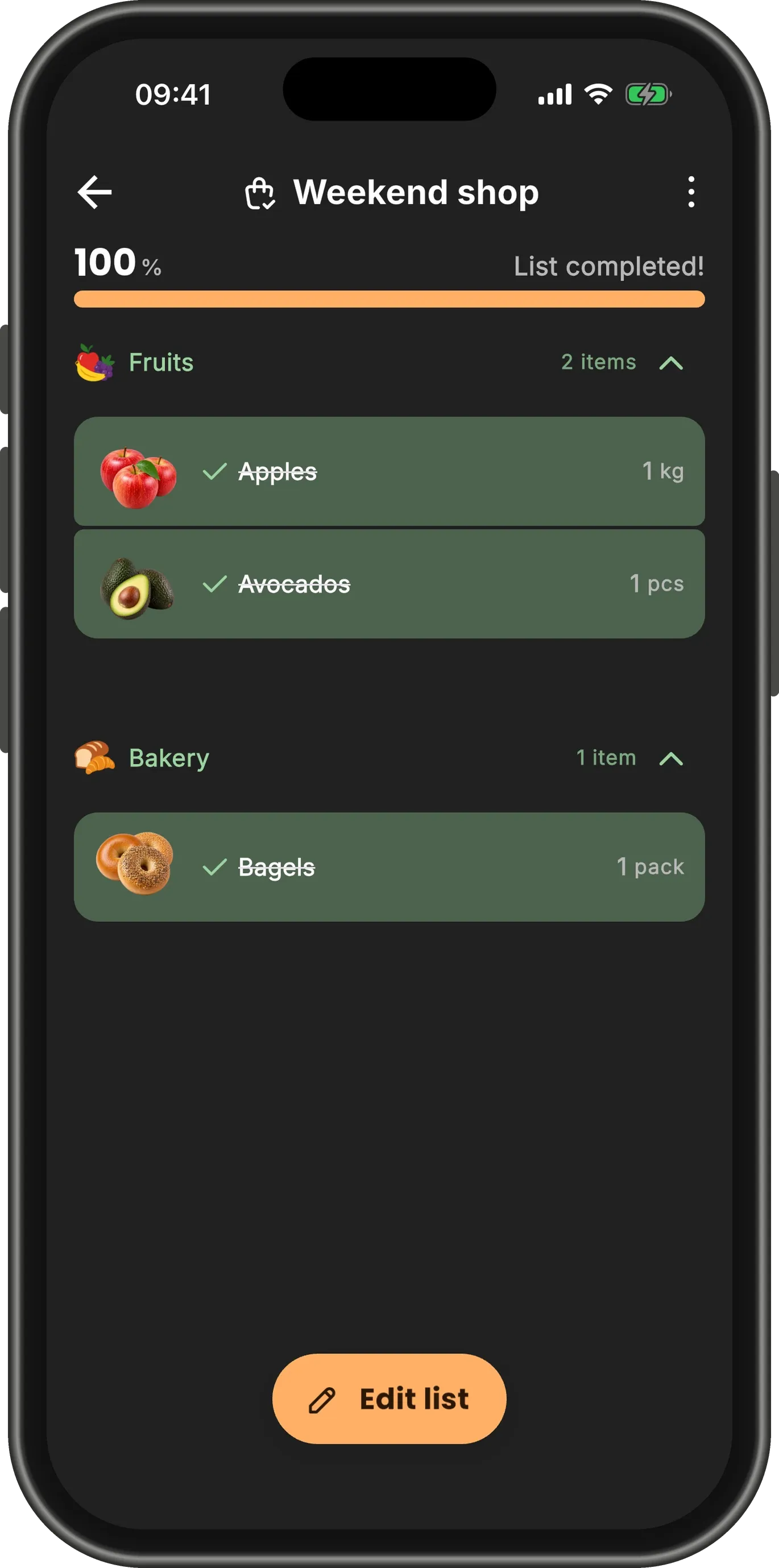
List completed
Once everything is collected or moved to Missing, the bar fills up and reads List completed!
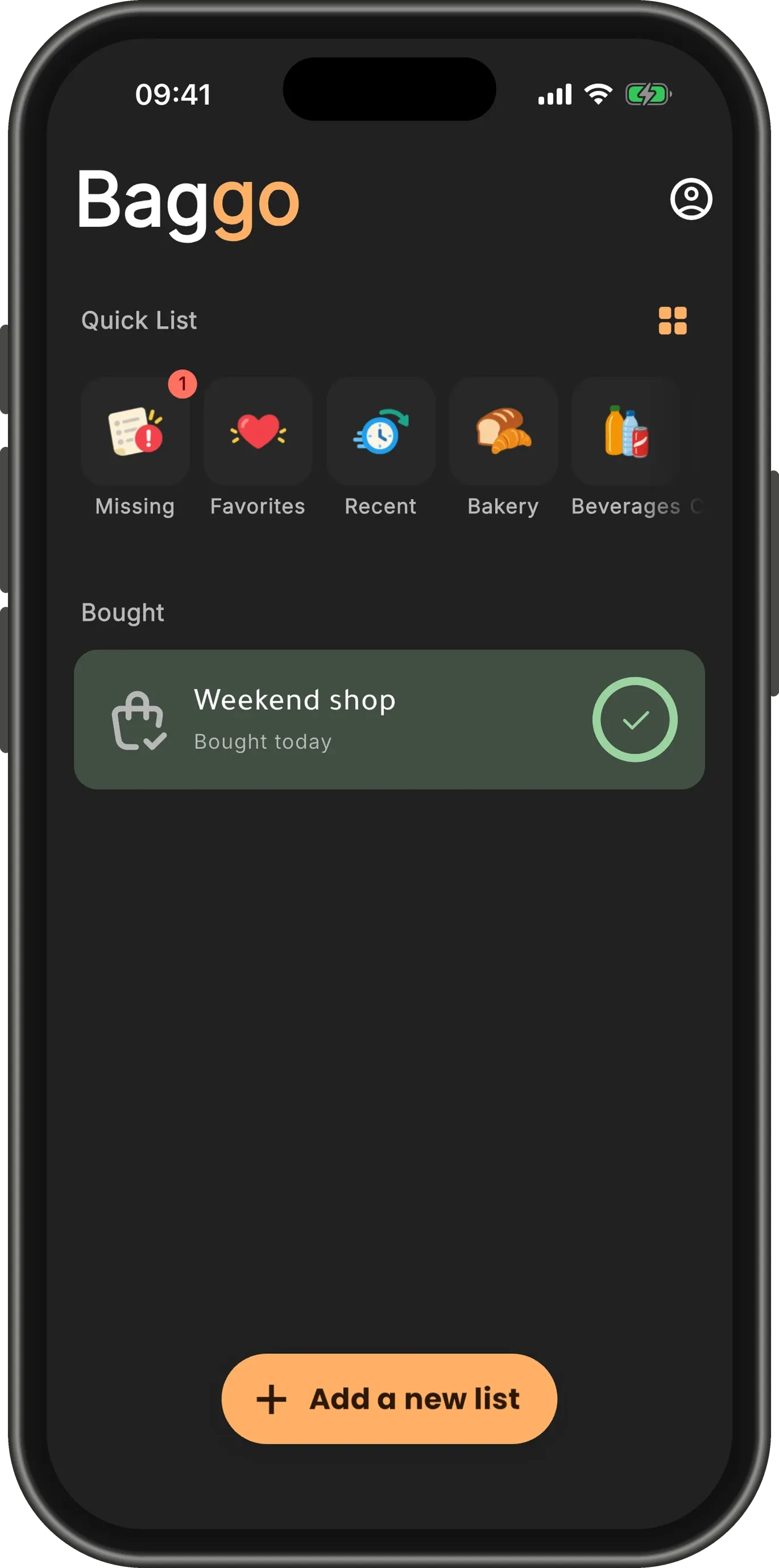
Back on the home screen
The list moves under Bought and says when you finished it — "Bought today". The badge on Missing counts what is waiting for next time.
TipDone with a list for good? Swipe its card to the left to archive or delete it.